JSONata Queries
All data substitution in reports is done using JSONata query language. Consider the example and report template and data file below:
Example
Report Template
{
    "id": "JHA-EA-RPT-BASIC",
    "name": "Basic Report",
    "description": "Basic data substitution report",
    "creator": "Aaron Watson",
    "version": "1.0",
    "components": [
        {
            "type": "Table",
            "headerRows": {
                "data": [ [ "Date", "Merchant", "Amount" ] ],
                "style": {
                    "textOptions": {
                        "weight": "bold"
                    }
                }
            },
            "rows": {
                "dataQuery": "transactions"
            },
            "columns": [
                {
                    "rowDataQuery": "date"
                },
                {
                    "rowDataQuery": "merchant"
                },
                {
                    "rowDataQuery": "amount"
                }
            ]
        }
    ]
}
Report Data
{
    "transactions": [
        {
            "date": "01/02/2022",
            "merchant": "walmart",
            "amount": 20.12
        },
        {
            "date": "01/06/2022",
            "merchant": "amazon",
            "amount": 47.20
        },
        {
            "date": "01/12/2022",
            "merchant": "kroger",
            "amount": 10.10
        },
        {
            "date": "01/25/2022",
            "merchant": "autozone",
            "amount": 210.89
        }
    ]
}
Report Output
Using JSONata Queries
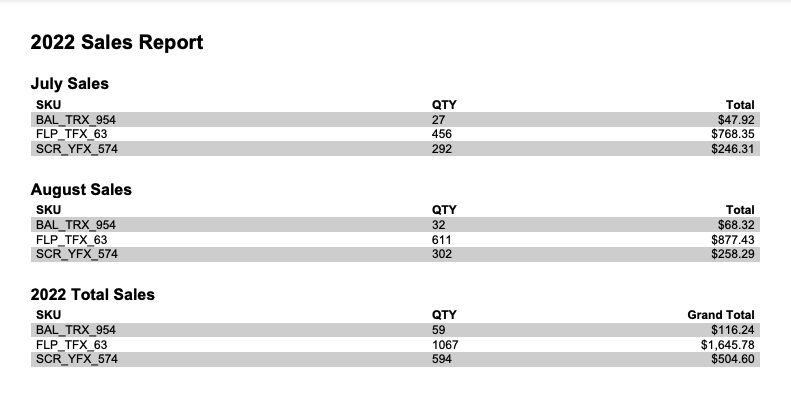
Notice that the report data has been formatted into a table with three columns. This is done using JSONata queries to extract the data from the data file. For a table to render data, it must be provided as an array of objects. The JSONata query defined in the table's rows element does exactly this:
Basic Query
"rows": {
    "dataQuery": "transactions"
}
This is the simplest form of query. It simply tells the engine to retrieve all elements named transactions that exist at the root of the document. The result of this query is the following JSON array:
[
    {
        "date": "01/02/2022",
        "merchant": "walmart",
        "amount": 20.12
    },
    {
        "date": "01/06/2022",
        "merchant": "amazon",
        "amount": 47.20
    },
    {
        "date": "01/12/2022",
        "merchant": "kroger",
        "amount": 10.10
    },
    {
        "date": "01/25/2022",
        "merchant": "autozone",
        "amount": 210.89
    }
]
This array is in exactly the right format for filling our table's rows with data. All we need to do now is tell each column in the table which element in our data to use. Again, this is accomplished with JSONata queries:
"columns": [
    {
        "rowDataQuery": "date"
    },
    {
        "rowDataQuery": "merchant"
    },
    {
        "rowDataQuery": "amount"
    }
]
Each column specifies a query to extract the data element that should appear in the table. Because each row will be rendered from a single element in the data array, the query needed is very simple. Each data element is simply queried by name, (e.g. date).
This very basic example shows how to use JSONata queries in the simplest way. Much more complicated queries can be used to extract, sort, group and aggregate data in the way needed for your report.
Sorted Query
JSONata queries can include sorting statements by using ^(sortField) where sortField is the name of the desired sort field. Here is an example of a simple query to render the same data, but sorted by amount:
"dataQuery": "transactions^(amount)"
Now the data in the rendered report will be sorted by the Amount field:

Filtered Query
JSONata queries can include data filtering statements using [filterExpression] syntax. Here is an example of a simple query to filter the data before rendering:
"dataQuery": "transactions[amount>40]"
All items not matching the filter above are now missing from the report:

Data Substitution in Queries
It is possible to use data substitution to build queries dynamically. Building upon the filtering example above, let's assume that we want the filter parameters to come from the JSON data file. The dataQuery can be include a data substitution token:
"dataQuery": "transactions[amount>@(filterAmount)]"
Before the query is evaluated, any data tokens (e.g. @()) are replaced with the corresponding information from the current JSON data file. Multiple tokens can be included if desired:
"dataQuery": "transactions[@(filterParam)>@(filterAmount)]"
It is also possible to include an entire JSONata query in the JSON data file:
"dataQuery": "@(myDataQuery)"
Advanced Queries
It is not possible to demonstrate all the ways data can be manipulated using JSONata queries in this documentation. For more information on what is possible, please see the full JSONata documentation.
JSONata Exerciser
A very helpful tool in learning and testing your queries is the JSONata Exerciser. This allows for inserting your own data and queries and visualizing the output. A similar tool is also available in the Report Web Editor.